Anyone who wants to build a connected temperature sensor, a Wi-Fi button or a small irrigation controller almost always ends up with the same component: the ESP32. It is a microcontroller made by Espressif that integrates Wi-Fi and Bluetooth in an inexpensive chip, and around it a huge community of libraries, examples and ready-made projects has grown.
What a microcontroller is
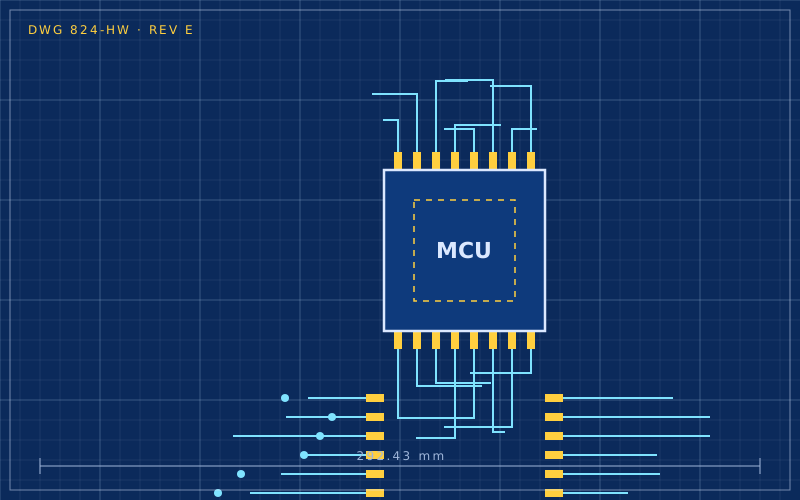
A microcontroller is a small computer on a single chip, with processor, memory and peripherals, but without a traditional operating system. It runs a single program, boots in a fraction of a second and uses very little power. It is the natural choice for simple, continuous tasks: reading a sensor, switching a relay, sending a value over the network.
ESP32, Arduino and Raspberry Pi compared
| Feature | ESP32 | Classic Arduino | Raspberry Pi |
|---|---|---|---|
| type | microcontroller | microcontroller | full computer |
| operating system | no | no | Linux |
| Wi-Fi and Bluetooth | built in | usually absent | built in |
| power use | low, very low in sleep | low | high by comparison |
| boot | instant | instant | tens of seconds |
| ideal use | connected sensors and actuators | educational electronics | servers, interfaces, processing |
The ESP32 sits in between: as simple as an Arduino, but network-ready. There are several variants in the family with different features: some have more cores, some support Bluetooth Low Energy only, others include the radio for Thread and Zigbee. Before buying a board, check which chip it carries.
How to program it
There are four main routes.
- Arduino IDE or PlatformIO, writing C++ code with the Arduino community libraries. It is the best-documented path.
- ESP-IDF, the manufacturer's official framework, more complete and more complex.
- MicroPython, for those who prefer Python and want to try code interactively.
- ESPHome, which requires no code: you describe the device in a YAML file and the tool builds and uploads the firmware.
For a home automation project ESPHome is often the quickest choice. A temperature and humidity sensor takes a few lines:
esphome:
  name: bedroom-sensor
esp32:
  board: esp32dev
wifi:
  ssid: !secret wifi_ssid
  password: !secret wifi_password
sensor:
  - platform: dht
    pin: GPIO4
    temperature:
      name: "Bedroom temperature"
    humidity:
      name: "Bedroom humidity"
    update_interval: 60s
After the first upload over USB, later updates can be sent over Wi-Fi.
Power and batteries
An ESP32 permanently connected to Wi-Fi draws too much to last long on a battery. The solution is deep sleep: the chip shuts down almost completely, wakes after a set interval or when a pin changes state, reads the sensor, sends the value and goes back to sleep.
Some concrete advice:
- reduce how often you send data: one reading every ten minutes instead of every ten seconds changes battery life dramatically;
- use a static IP address, which shortens connection time on wake-up;
- choose boards designed for low power: many development boards have LEDs and voltage regulators that keep drawing current in sleep;
- for lithium battery power, use a suitable protection and charging circuit.
Common beginner mistakes
- Connecting 5 V sensors: ESP32 pins work at 3.3 V. A 5 V signal can damage them.
- Using reserved pins: some GPIOs have special functions at boot or are connected to the flash memory. Check your board's pin tables before soldering.
- Insufficient power: Wi-Fi transmission causes current spikes. A poor USB cable or a weak power supply causes random reboots.
- Passwords in the code: credentials written in plain text easily end up in a public repository. A separate secrets file, excluded from version control, is better.
A concrete starter project
A good first project is a room temperature sensor: an ESP32 board, a digital sensor, three wires and ESPHome. In an afternoon you get a device that sends data to your home hub, with no external cloud. From there you move naturally to relays, buttons, displays and presence sensors, reusing the same foundations.
In short
- The ESP32 is an inexpensive microcontroller with built-in Wi-Fi and Bluetooth, ideal for home IoT.
- It can be programmed with Arduino, ESP-IDF, MicroPython or, without code, with ESPHome.
- Deep sleep is essential for battery-powered projects.
- Pins work at 3.3 V and some are reserved: always check before wiring.
- A local temperature sensor is an excellent first project to learn with.